
Leaderboard




Popular Content
Showing content with the highest reputation since 10/06/25 in all areas
-
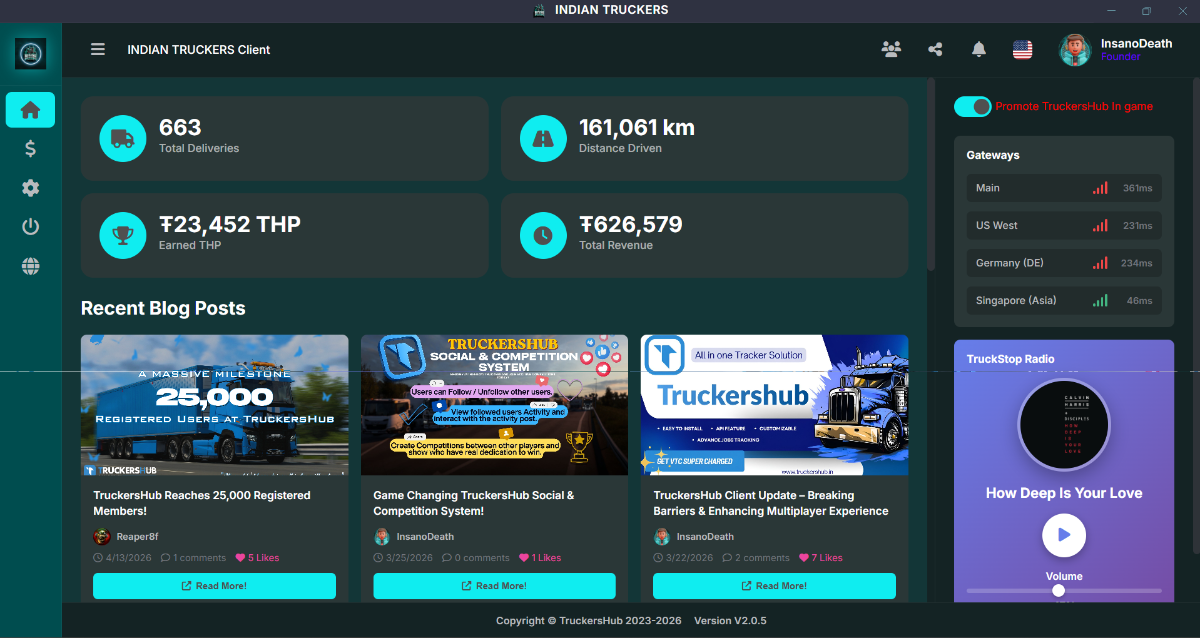
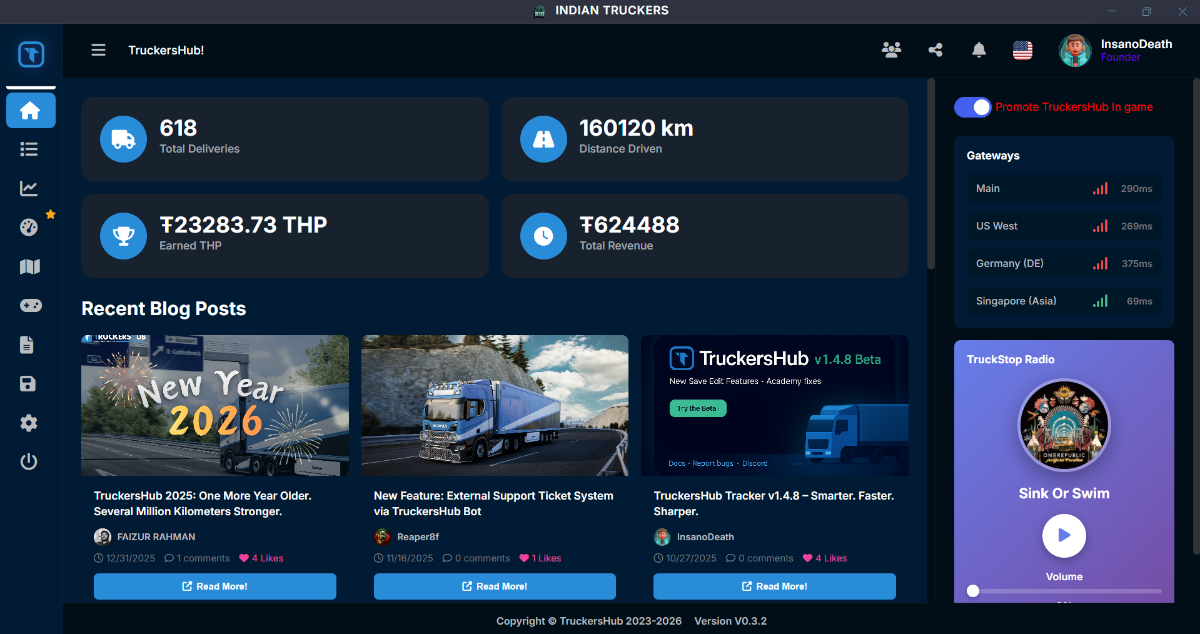
TruckersHub Client Update V2.0.4 Added City enter traffic display with followed drivers count in the city. Added Chat box Open Shortcut Key. Added Auto save and Auto Load feature with toggles. Added Chat commands to easily fix, refuel and recover your vehicle. Added Chat translation command. Fixed Translations. Fixed double load on Client Initialize. Fixed Tracker stuck on Loading screen. Fixed Steam path not found error. Added City Location data in Telemetry. Added Logout button on profile. Added Auto Translate feature for everyone. Added basic Tier features free for TruckersHub Staff. Fixed Overlay popping up over TruckersHub Client. Removed support for Automatic light due to in0game feature. Fixed app opening from system tray. Added teleport overlay popup when ALT + F12 pressed. Fixed overlay placements and issues. Added Chat box to the game overlay. Fixed Online Drivers Page. Added autosave in settings whenever changes are made. Fixed font colour to be TruckersHub default. Fixed game file decrypter issues. Fixed Hotkeys saving. Fixed TMP game time in the overlay. Fixed some logger logiics. Updated key sending options. More optimized and faster. Fixed Speedometer issues.5 points
-
[Community Moderator] - @Gron additionally joins Operations Team. [Event Manager] - @Karthik176 additionally joins Operations Team. [Support Team] - @Scottish Unicorn additionally joins Operations Team. [Developer + Support Manager] - @JustNico additionally joins Operations Team. [Event Team] - @Phoenix-TMP additionally joins Operations Team. [User] - @TVZEL joins TruckersHub Staff as Operations Team.5 points
-
[User] - @Burzum59 joins TruckersHub Staff as Support Team.5 points
-
[User] - @Kadir joins TruckersHub Staff as Support Team.5 points
-
Greetings, Drivers! We've become aware of emerging techniques being used by some to artificially boost their mileage, which undermines the competitive balance of our leaderboards. While our existing security measures are working as intended, these are novel exploits that require a new approach. Our commitment is to preserve a fair and transparent environment for all our dedicated drivers. To move forward, we want your valuable input. Please review the potential solutions below and help us make the right decision. 🗳️ Solution A – Live Distance Tracker This system actively monitors and authenticates your travel distance as you drive. 🔹 Advantage: Offers exceptional precision, making it virtually immune to manipulation. 🔸 Drawback: Could lead to higher device resource consumption and potential progress loss if a job is interrupted. Solution B – Distance Validation All deliveries are accepted, but credited mileage is capped at 125% of the originally planned route. For example: On a route planned for 1,000 km, any distance driven beyond 1,250 km would not be added to your total. 🔹 Advantage: A simple, automated system to prevent extreme mileage inflation. 🔸 Drawback: May unintentionally penalize players who take necessary, extended detours for legitimate reasons. Solution C – Review Team We would establish a Review Team to manually investigate any deliveries that are automatically flagged as suspicious before any penalties are applied. 🔹 Advantage: Human oversight allows for nuanced, context-aware judgments. 🔸 Drawback: The process would be slower, causing delays in job validation and increasing our operational workload. 💬 Your voice is crucial. Please cast your vote to help shape the future of fair play at Truckershub. Your feedback is invaluable as we work to uphold the integrity of our platform. Let's collaborate to keep our community thriving and equitable for everyone. 🚛💙5 points
-
@Gavin - Retired Legend -> Senior Community Manager4 points
-
@RASTICA69 - Translations Team -> Translations Team + Support Team Trainee4 points
-
@Pαlα - Event Team -> Event Team + Translations Team4 points
-
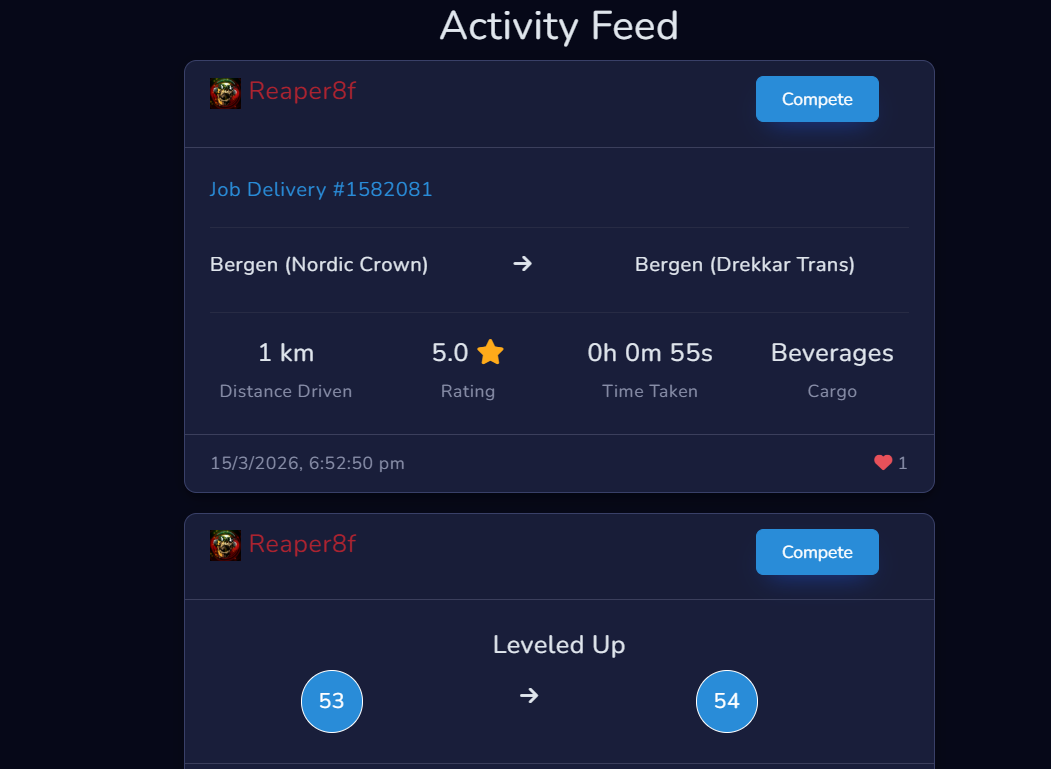
Activity Feed Coming Soon!
 4 points
-
@Jack Gamerz - Truckers -> Support Team4 points
-
@Toth. - Community Moderator -> Support Team + Community Moderator4 points
-
New Loading Screen! (TruckersHub Client)
4 points
-
[Community Moderation Manager] - @Falke additionally joins Operations Team.4 points
-
[Community Manager] @Gavin and [Support Manager & Developer] @JustNico are promoted to Upper Staff in TruckersHub's Team! Congratulations ❤️4 points
-
[User] - @Pαlα joins TruckersHub Staff as Event Team.4 points
-
[User] - @NL I Elysium joins TruckersHub Staff as Media Team.4 points
-
[Support team + Community Moderator] @piku has been promoted to Community Moderator.4 points
-
@kαnuji028 - Support Team Trainee -> Support Team3 points
-
@abhisekpanda072 - Support Team Trainee -> Support Team3 points
-
@Kilian71 - Support Team Trainee -> Support Team3 points
-
@DHARSHAN - Event Team -> Event Planner3 points
-
@RASTICA69 - Truckers -> Translations Trainee3 points
-
@Frank - Truckers -> Support Team3 points
-
Custom Client Personalization for VTCs
3 points
-
Any Suggestions?
3 points
-
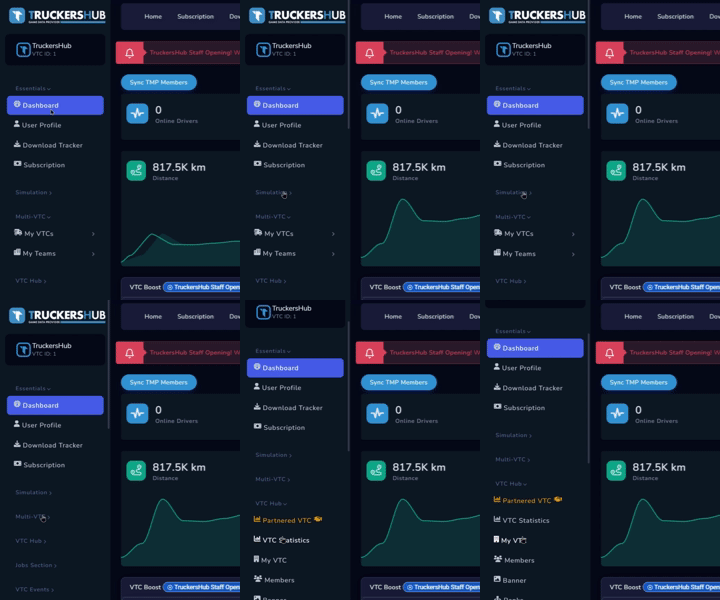
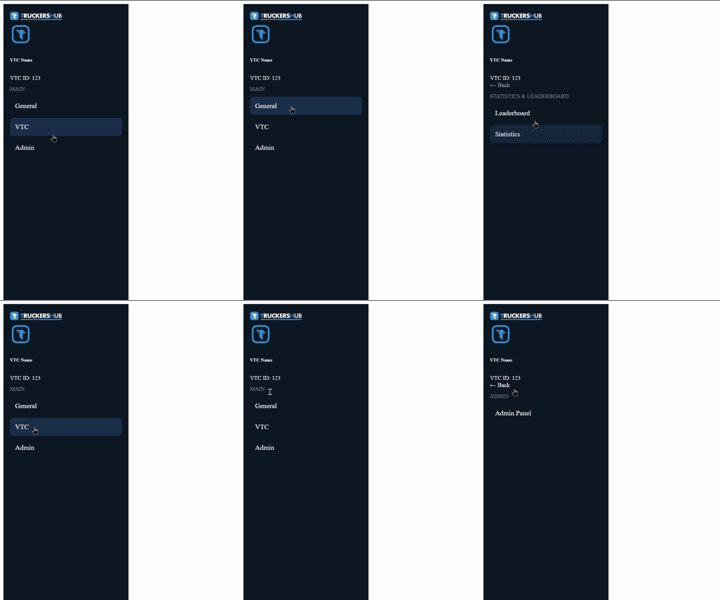
We’re working on improving the TruckersHub sidebar navigation to make it faster, cleaner, and more intuitive for everyone — whether you're a casual driver or part of a VTC. We’ve come up with two different designs, and we want you to decide which direction we should take. 🔹 Option 1: Collapsible category Sidebar Collapsible categories (expand only what you need) Cleaner and more modern look Keeps things minimal and focused 🔹 Option 2: Tree View Sidebar Structured hierarchy (everything visible in a tree format) Easier to explore all sections at once Great for users who prefer a more “organized” layout More traditional navigation style 🗳️ Which one do you prefer? 👍 Collapsible Category Sidebar 🌲 Tree View Sidebar 🤔 No preference / Both are fine 💬 Bonus: Tell us why you chose your option — your feedback helps us design a better experience for the entire community. Your input directly shapes the future of TruckersHub ❤️
3 points
-
I prefer the first option because it is the most common and smooth 👍3 points
-
@SirBr4twurst - Truckers -> Support Team3 points
-
Hello TruckersHub Community, Recently, we received feedback regarding the Self-Promotion feature in the TruckersHub Client V2.0.0. The self-promotion button is currently enabled by default. When active, it automatically generates a promotional message in the TruckersMP in-game chat while playing. While many users have expressed positive feedback about the recent client update and its new features, some concerns were raised specifically about this functionality being enabled automatically. Concern Raised Users’ in-game chat is considered personal space. Automatic promotional messages may not align with some users’ privacy preferences. Some VTCs do not require or enforce promotional messages. Members may prefer full manual control over chat behavior. Objective of This Poll We would like to gather community-wide feedback before making any changes. Kindly submit your vote at above poll. We would also love to hear out any other feedback you have for new v2. Reaper - Project Manager TruckersHub Team
3 points
-
[User] - @Medical Responder joins TruckersHub Staff as Support Team.3 points
-
[User] - @NoahTheGamer joins TruckersHub Staff as Operations Team.3 points
-
TruckersHub Client Updated?
3 points
-
[User] - @vikgaming05zw joins TruckersHub Staff as EventTeam.3 points
-
[User] - @berkhiges joins TruckersHub Staff as Media Team.3 points
-
[User] - @mochi_tmp joins TruckersHub Staff as Support Team.3 points
-
[User] - @yasaRBK joins TruckersHub Staff as Support Team.3 points
-
@bekir - Event Team Trainee -> Event Team2 points
-
@RASTICA69 - Translations Trainee -> Translations Team2 points
-
@crumms2 - Support Team Trainee -> Support Team2 points
-
@Ambrizzz - Truckers -> Translations Trainee2 points
-
@ TheMadMancunian [UK] 👻🌈 - Support Team -> Support Manager2 points
-
@Rinahs - Event Team Trainee -> Event Team2 points
-
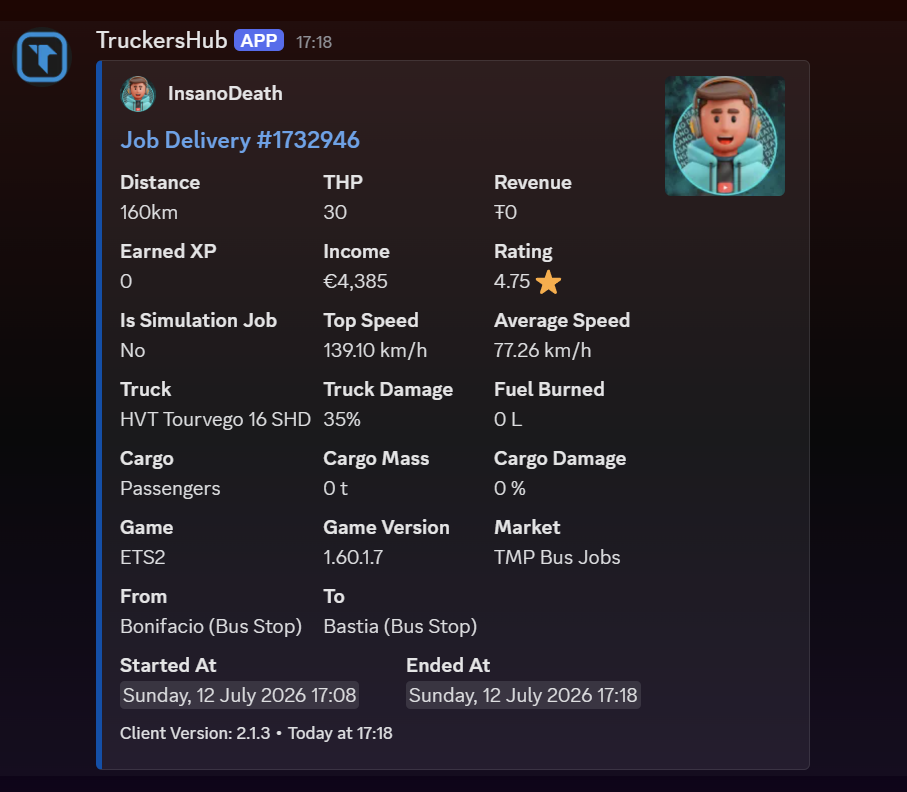
Coming in Beta: TruckersMP Bus Job Log and Tracking Check out the job here: https://truckershub.in/jobs/1732946
2 points
-
@DHARSHAN - Truckers -> Event Team2 points
-
@Burzum59 - Support Team -> Truckers (left)2 points
-
@Zem - Truckers -> Operations Team2 points
-
The selection is great—I like option 1, but option 2 is good too. Would it be possible to combine these two options into one to see if it’s possible to use both? They’re both great. Keep up the good work—you’re awesome.2 points
-
I like the idea of promotion while in TruckersMP. However I feel that the user should have the final control over how the system advertises becasue we do not want to get punished for possible spam. I feel the user should have the ability to control when a advertisement is posted.2 points
-
Hello2 points
-
Hello everyone! We’re excited to announce that TruckersHub Support Tickets can now be opened directly from your VTC Discord server - without requiring members to join the TruckersHub main server. With this new feature, any user in your server (where the TruckersHub Bot is present) can create a support ticket. The ticket will automatically connect to the TruckersHub Support Team on our main server, who will assist with the issue. • No extra steps. • No server-hopping. • Direct and reliable support! 🔧 How to Set It Up • Invite the TruckersHub Bot to your Discord server: •🔗 Invite with Necessary Permissions •🔗 Invite with Admin Permissions Configure the Integration: • Go to TruckersHub Integrations • Set “TruckersHub Support Ticket” to the channel in your server where you want the Create Ticket button to appear. After setup, your integrations page should show the channel wich you've selected. (See Image underneath) The ticket panel will appear in your chosen channel (set on the Integrations page) and can be used by members to open tickets. (See Image underneath) All Done! Members can now create a support ticket in that channel. The ticket will go straight to the TruckersHub Support Team for assistance. Why Use This? • No need for members to join multiple servers. • Keeps support easy, centralized, and quick. • Perfect for VTCs that want a smooth way for drivers to get help. Start using the new External Support Ticket System today and keep your VTC community supported with ease!2 points